How to videos & FAQs
Activate New User
Short demo video explain the simple steps for eBanking account activation to our new Digital platform.
Self-enroll as individual account holder
Short demo video explain the simple steps for Self-enrolment to our new Digital platform.
Create New Beneficiary
Short video demonstrating the steps to create a new beneficiary to our new Digital Banking platform.
Make New Payment
Short video demonstrating the simple steps to conduct a new payment in our new Digital Banking channels.
View Portfolio Valuation in e-Banking
- From Account Dashboard select the Account
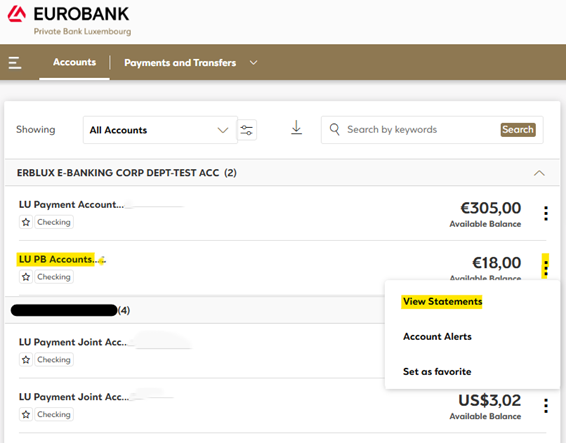
- On the right hand side click 3 dots and select View Statements
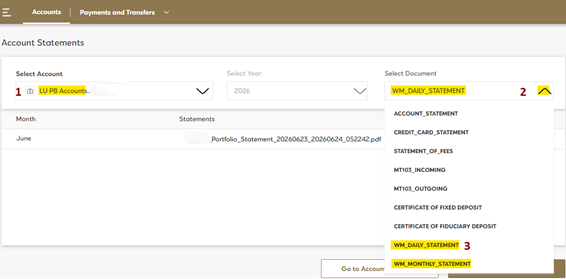
- Next under you PB Account select WM_Daily_Statements or WM_Monthly_Statements
For more details please check our FAQ section.